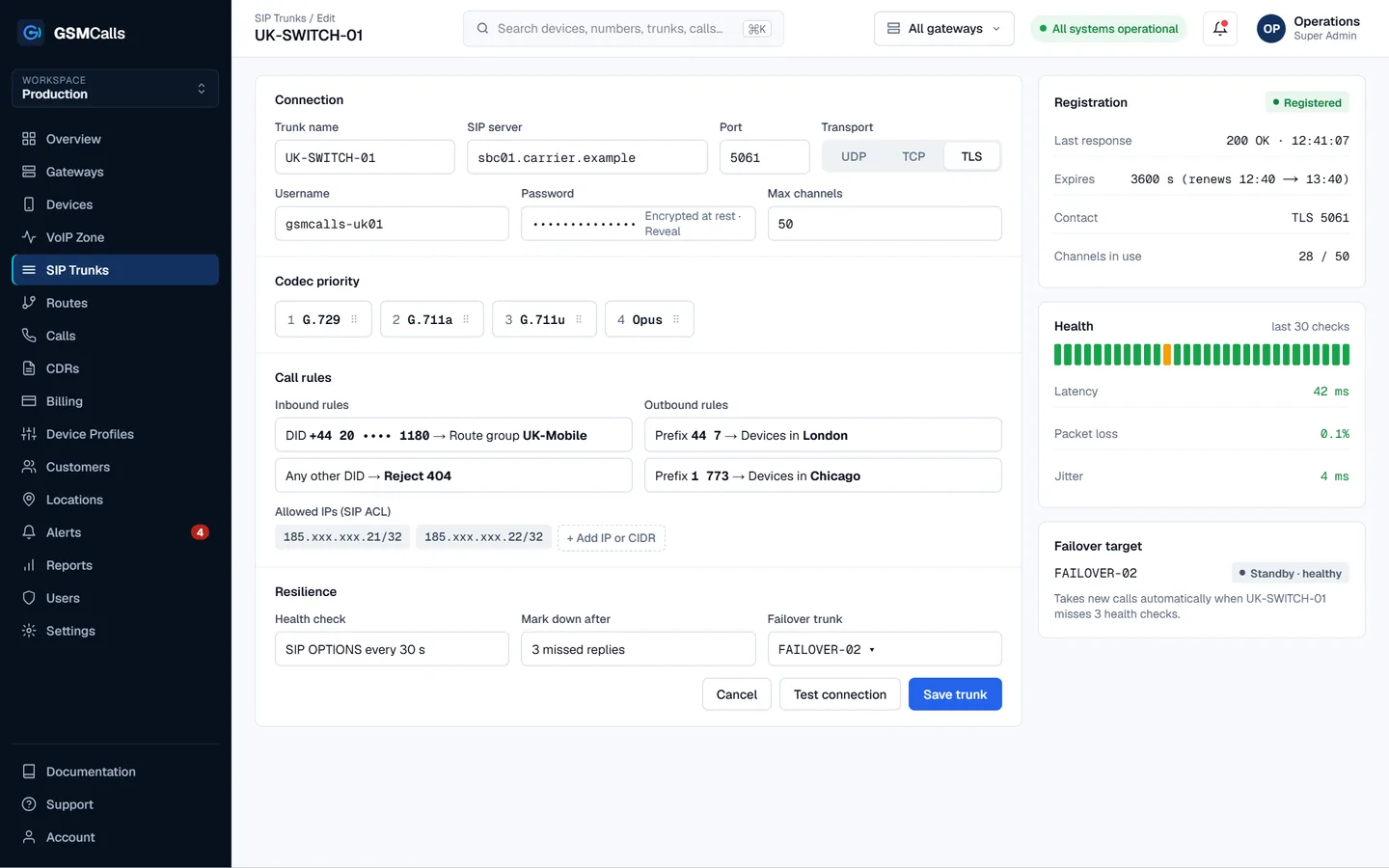
To connect a GSM gateway to Asterisk, define it in pjsip.conf as a trunk — an endpoint, AOR, auth and, if needed, a registration — then route calls to it in the dialplan. GSMCalls exposes your mobile phones as one standard SIP trunk, so Asterisk dials PJSIP/number@gsmcalls like any carrier.
Why teams choose GSMCalls as their GSM gateway for Asterisk
Plain res_pjsip configuration — no channel drivers to compile
Registration or IP identify, your choice
alaw, ulaw and g722 codecs
UDP, TCP or TLS transport
Mobile disconnect causes in GSMCalls CDRs
No GSM modules or chan_dongle to maintain
How a GSM gateway fits into Asterisk
Older Asterisk GSM setups used USB modems with chan_dongle or dedicated gateway cards. Those tie radio hardware to the Asterisk server and are hard to monitor remotely. With GSMCalls, mobile phones at your sites handle the radio side, the cloud platform presents them as a SIP trunk, and Asterisk only needs res_pjsip — the SIP stack that ships with every current Asterisk release.
pjsip.conf example for a GSM gateway trunk
Create a trunk in the GSMCalls portal, then replace the placeholders below with the host and credentials it shows. The registration keeps the trunk reachable when Asterisk is behind NAT; if your server has a fixed public IP and you use an IP ACL instead, drop the registration and auth sections and keep identify.
pjsip.conf — GSMCalls trunk (placeholders in capitals)
Outbound calls use the endpoint name in the Dial string. Inbound calls arrive in the context set on the endpoint, where you can ring an extension, queue or IVR.
extensions.conf — outbound and inbound
; /etc/asterisk/extensions.conf
[from-internal]
; dial 9 + number to send a call out through the GSMCalls trunk
exten => _9X.,1,NoOp(Outbound via GSMCalls to ${EXTEN:1})
 same => n,Dial(PJSIP/${EXTEN:1}@gsmcalls,60)
 same => n,Hangup()

[from-gsmcalls]
; calls arriving from the mobile lines ring extension 1001
exten => _X.,1,NoOp(Inbound from ${CALLERID(num)} for ${EXTEN})
 same => n,Dial(PJSIP/1001,30)
 same => n,Hangup()
Registration or IP identify?
Asterisk can reach the GSMCalls trunk in two ways. With registration, Asterisk sends a REGISTER with the trunk credentials and keeps it refreshed, so the platform always knows where to deliver inbound calls — the practical choice when Asterisk sits behind NAT or on a dynamic IP. With IP identify, the GSMCalls trunk is locked to your server’s public IP by an ACL and the identify section matches traffic by source address, which avoids credentials on the wire but needs a fixed address.
Either way, keep the endpoint name stable. Dial strings, reports and any AGI or ARI scripts refer to it, and changing it later means touching every context that routes calls out.
Codecs: alaw, ulaw and g722
Match the allow line to the codec order on the GSMCalls trunk. G.711 μ-law (ulaw) is standard in North America and Japan; A-law (alaw) in most other regions — see G.711 A-law vs μ-law. Add G.722 when your endpoints support wideband: Smart Bridge phones stream G.722 to the cloud, so wideband can reach the handset on your desk.
Security and troubleshooting
For signalling encryption use a TLS transport on port 5061 and set media_encryption=sdes on the endpoint for SRTP where the trunk supports it; the reasoning is in SIP security with TLS and SRTP. Useful CLI commands:
pjsip show registrations — is the trunk registered?
pjsip show endpoint gsmcalls — codecs, AOR contact and qualify status
pjsip set logger on — watch the SIP exchange for a failing call
One-way audio: set external_media_address and external_signaling_address on the transport when behind NAT
Step by step
Set up your GSM gateway for Asterisk
1
Step 1: Create the trunk in GSMCalls
Add a SIP trunk in the portal and copy its host, port, username and password.
2
Step 2: Edit pjsip.conf
Add transport, registration, auth, AOR, endpoint and identify sections with your values.
3
Step 3: Add dialplan
Route an outbound pattern to PJSIP/number@gsmcalls and handle inbound calls in from-gsmcalls.
4
Step 4: Reload and test
Run pjsip reload and dialplan reload, check registrations and place test calls both ways.
Prices in USD per month. Taxes, carrier airtime and SIM costs are not included. Features marked Coming Soon are not yet available.Compare all four plans
FAQ
GSM gateway for Asterisk questions
Still unsure? Talk to an engineer — we'll map your site to the right architecture.
GSMCalls is built for lawful, authorised deployments. You remain responsible for local telecommunications regulations and your carriers’ terms — see the acceptable use policy.
Build Your Mobile Gateway Infrastructure
Connect a few phones or manage hundreds of devices across multiple locations from one platform.