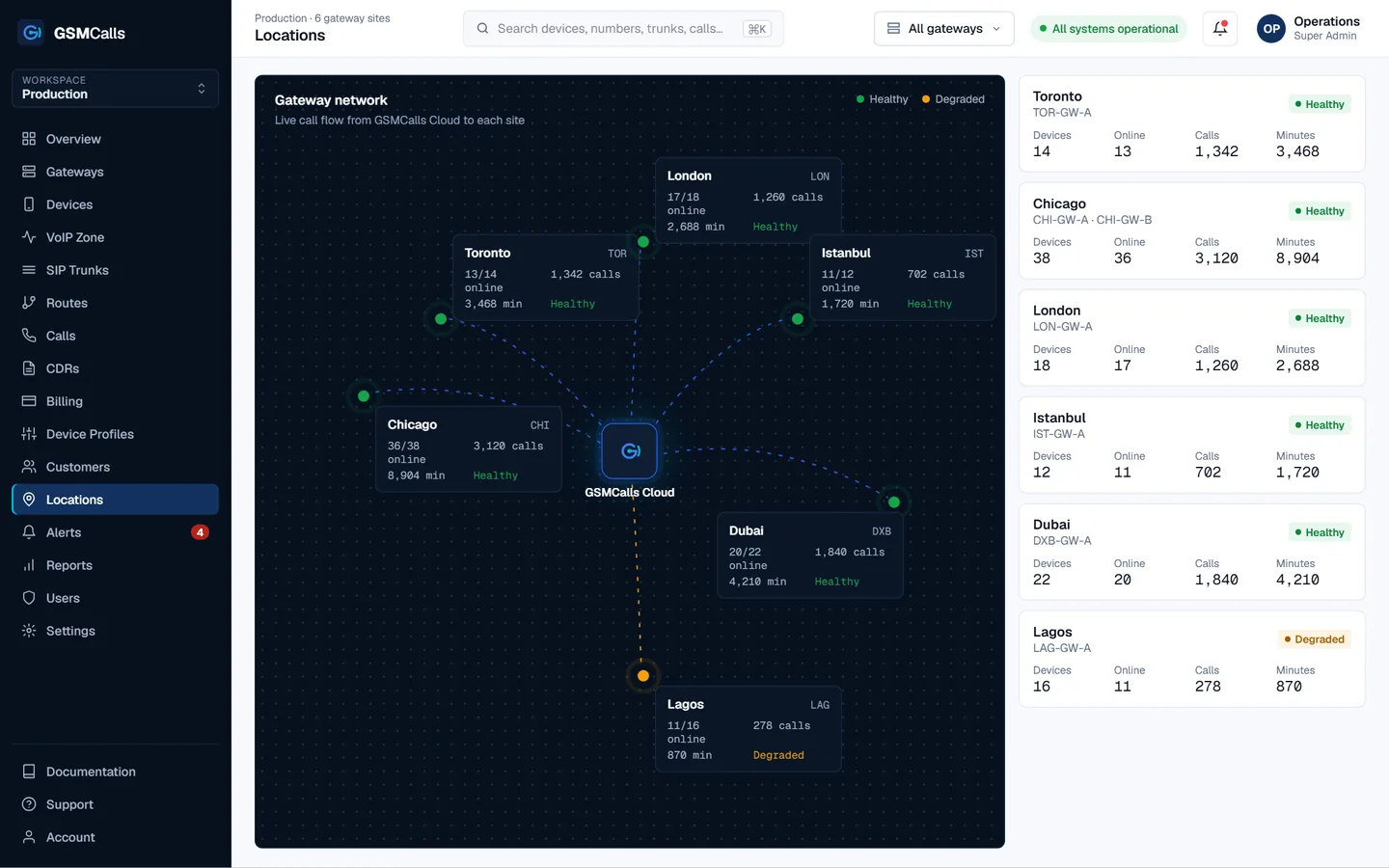
Multi-site GSM gateway management means running mobile lines in several offices, cities or countries from one place. In GSMCalls each site is a location with its own phones and connection method, reporting to a single cloud portal that shows per-site health and routes each call by prefix to the site best placed to carry it.
Why teams choose GSMCalls as their multi-site GSM gateway
Every location, phone and SIM on one map and one table
Per-site health: devices online, signal, active calls, alerts
Route calls by dialled prefix to the right site and operator
Mix Smart Bridge, Bluetooth and USB sites freely
Failover between sites and standby SIP trunks
CDRs and minute usage broken down by location
Why multi-site GSM gateways get hard to run
One gateway in one office is easy. Five in five cities are not: each has its own web interface, its own logs and its own quirks, and nobody notices a dead SIM in the far branch until customers complain. Travelling to reset hardware or reading reports from five different boxes eats the savings mobile lines were meant to deliver.
In GSMCalls, a location groups the phones, gateway and SIMs at a physical site. The locations view shows every site with the number of devices online, active calls and open alerts, so a degraded branch stands out immediately. Drill into a site to see each phone’s signal, battery, operator and connection method.
Sites do not need to match. A head office might run a dense USB Connect rack, a branch a few Bluetooth phones on Wireless Connect, and a kiosk a single Smart Bridge phone with no PC. They all report the same way.
Routing by prefix to the right site
Mobile calls are usually cheapest and most reliable when they originate on the same network, in the same country, as the destination. GSMCalls routing rules match the dialled prefix and send the call to a routing group at the right location — for example, numbers for one country to phones in that country, and a specific operator’s ranges to SIMs on that operator.
Prefix rules with priorities and fallbacks
Routing groups per site, operator or customer
Failover to another site or a standby SIP trunk when a group is busy or offline
Every call produces a CDR tagged with its site, device and route, so you can compare locations on answer rate, average call duration, minutes and cost. Prepaid minute profiles can be set per device, SIM, customer or gateway, with alerts at 75%, 90% and 100% of allocation — useful when each site has its own carrier bundle.
Planning your rollout
Start with one pilot location, validate audio, routing and CDRs, then clone the setup to other sites. Choose phones from the compatibility list, and use SIMs whose carrier terms permit your use. The Professional plan includes multiple gateways and locations. Every site must operate lawfully and with authorisation — see the acceptable use policy.
Step by step
Set up your multi-site GSM gateway
1
Step 1: Create locations
Add each site in the portal with its address and connection method.
2
Step 2: Connect phones per site
Pair phones with Smart Bridge, Wireless Connect or USB Connect and assign them to the location.
3
Step 3: Build routing groups
Group phones by site or operator and add prefix rules with fallbacks.
4
Step 4: Watch per-site health
Use the locations view, alerts and CDR filters to compare and maintain sites.
Prices in USD per month. Taxes, carrier airtime and SIM costs are not included. Features marked Coming Soon are not yet available.Compare all four plans
FAQ
Multi-site GSM gateway questions
Still unsure? Talk to an engineer — we'll map your site to the right architecture.
Can one account manage gateways in several countries?
+−
Yes. Each site is a location in the same portal, with its own phones, SIMs and routing groups.
How are calls sent to the right site?
+−
Routing rules match the dialled prefix and send the call to a routing group at the chosen location, with fallbacks if that group is busy or offline.
Can different sites use different connection methods?
+−
Yes. Smart Bridge, Wireless Connect and USB Connect sites can be mixed freely and are managed the same way.
What happens when one site goes offline?
+−
The portal marks its phones offline and raises an alert, and routing rules fall back to the next routing group or a standby SIP trunk so calls keep flowing.
Which plan supports multiple locations?
+−
Professional ($150 per month for up to 20 phones) and above include multiple gateways and locations. Enterprise covers large or private deployments.
GSMCalls is built for lawful, authorised deployments. You remain responsible for local telecommunications regulations and your carriers’ terms — see the acceptable use policy.
Build Your Mobile Gateway Infrastructure
Connect a few phones or manage hundreds of devices across multiple locations from one platform.